Running a plex should not live in your text messages
What most small landlords do today, and what Dwelloo does instead.
Today
The entry notice goes out by text. Received? Read? Nothing to show.
With Dwelloo
The notice goes by email and to the tenant’s page. You see when it was sent, opened and acknowledged.
Today
The condition report is forty photos lost in your phone.
With Dwelloo
A room-by-room file, sealed when you sign and countersigned by the tenant.
Today
Rent in a spreadsheet, receipts in a shoebox.
With Dwelloo
Rent noted in one tap, receipts read from a photo, totals ready for your accountant.
Four habits that protect you
The screens below are from the app, with example data.
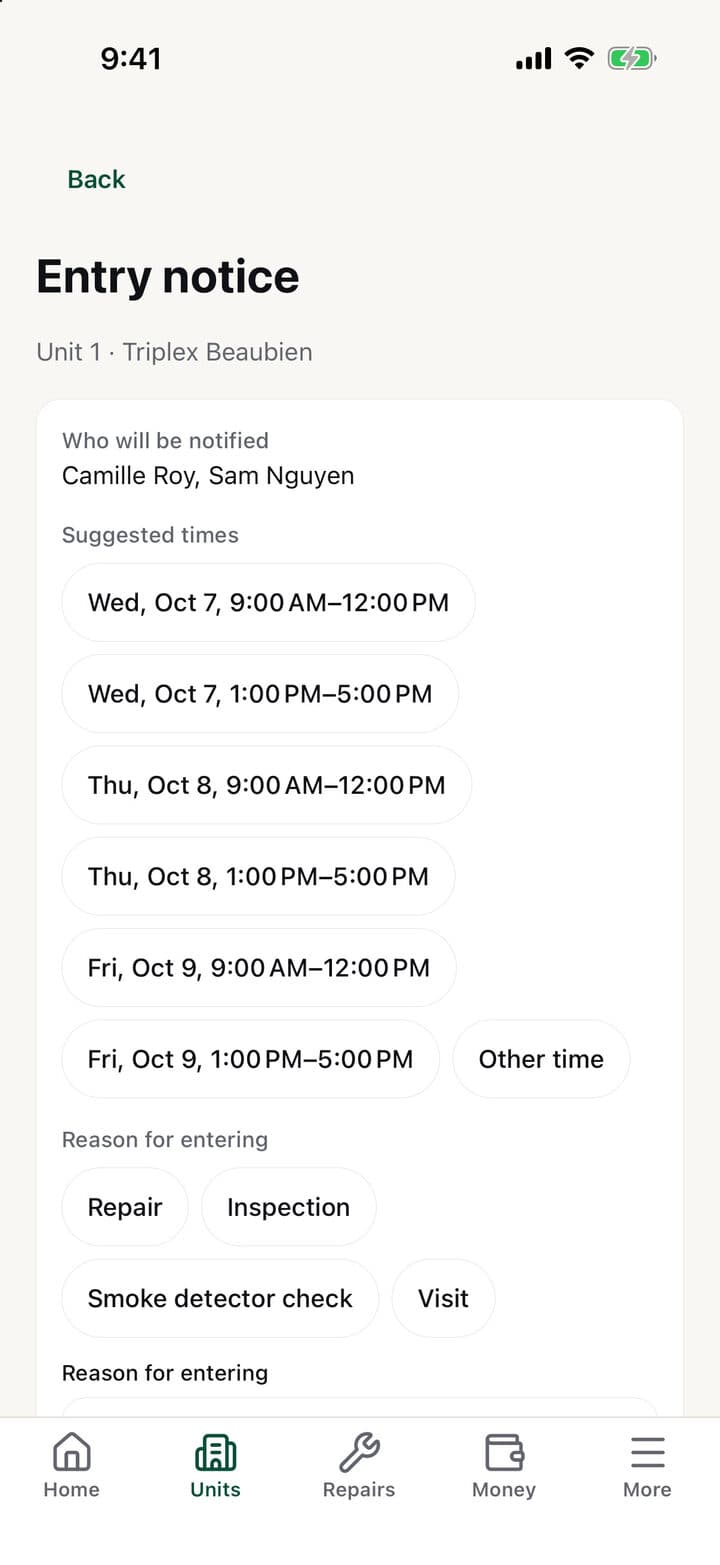
Entry notices, with proof of delivery
Pick the time window and the reason: Dwelloo writes the notice in both languages and refuses less than 24 hours’ notice. A PDF copy stays with the lease.
Example
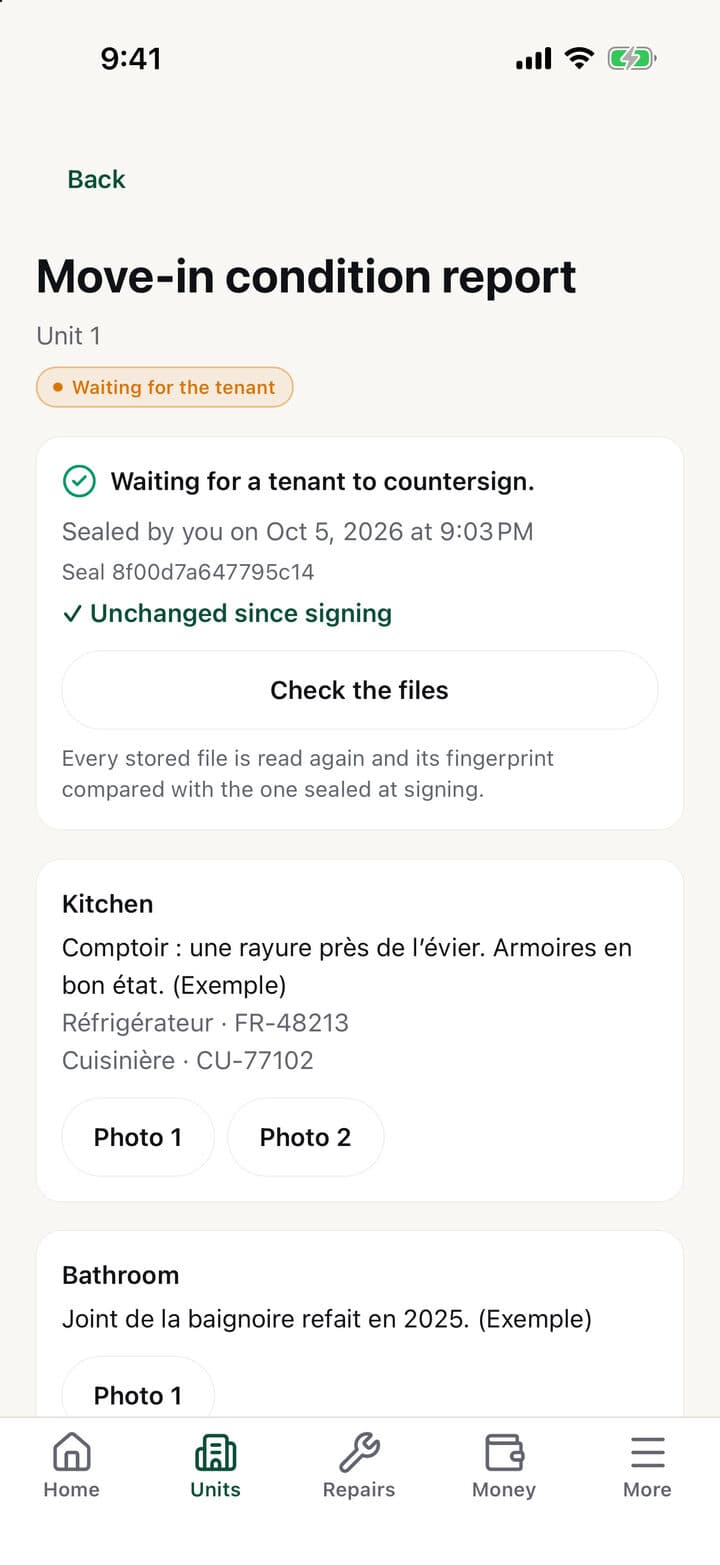
A sealed condition report
Photos, videos, notes and serial numbers, room by room. When you sign, every file gets a fingerprint, and you can check at any time that nothing has changed.
Example
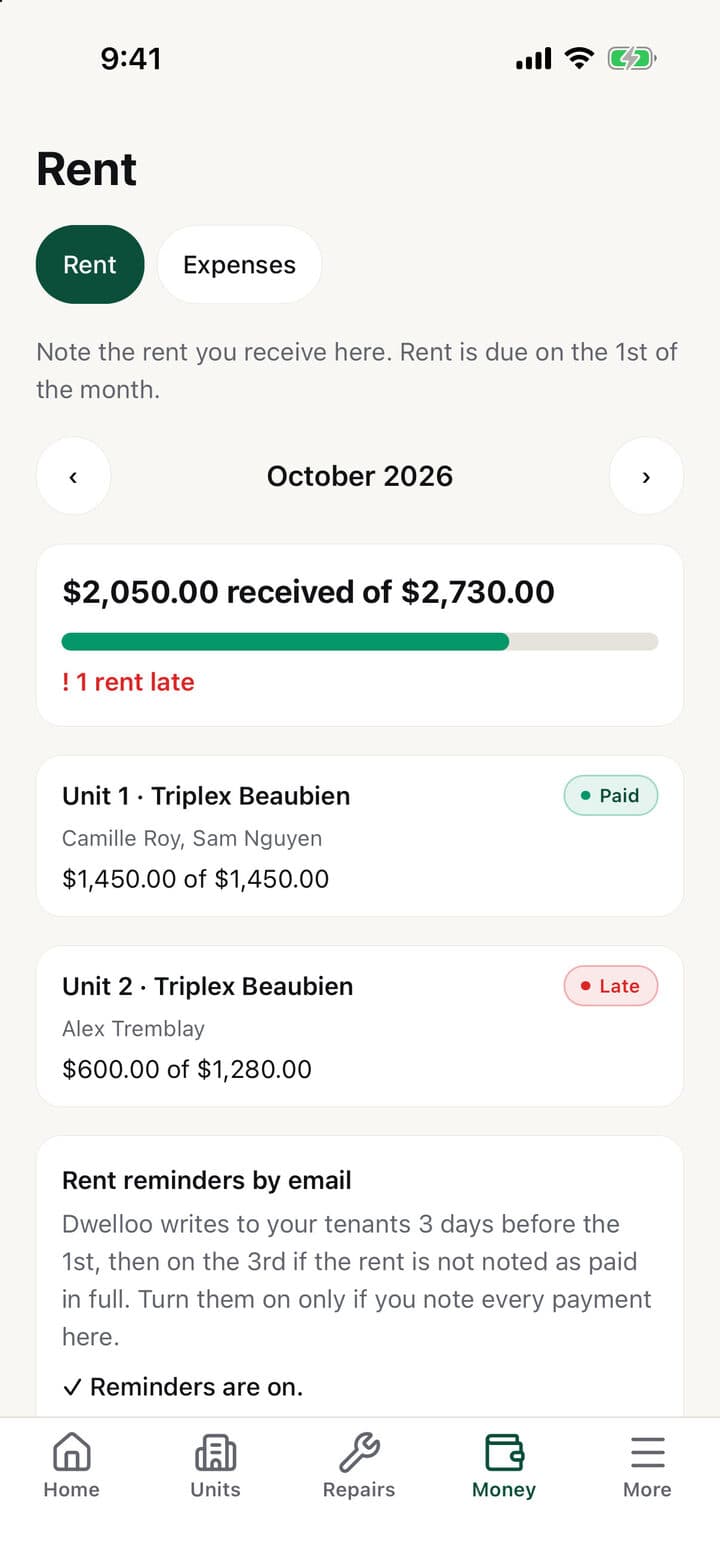
Who has paid, at a glance
Note each rent received, in part or in full. Late ones stand out, reminders go out by email if you turn them on, and every tenant gets a yearly PDF statement.
Example
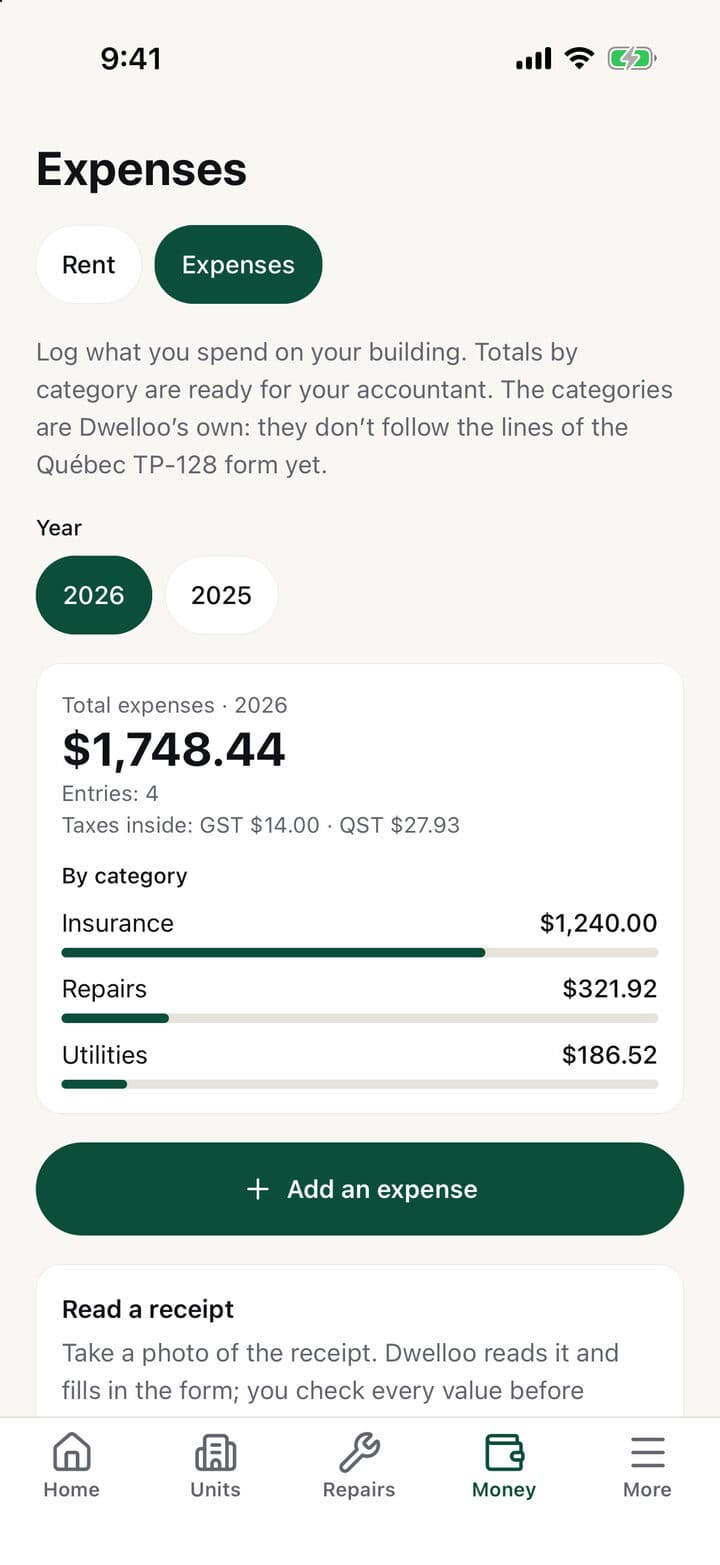
Snap the receipt, it’s logged
Dwelloo reads the receipt and fills in the expense; you check it. Totals by year and by category come out as a file for your accountant.
Example
Your tenants get a link. That’s it.
Each tenant has a personal page, in French or English, that opens in their phone’s browser.
No account, no app
Report a repair, with a photo or a video
Read a notice and acknowledge it
Countersign the condition report
See their rent as noted and download their documents
DwellooFR · EN
Hello Camille
Unit 1 · Triplex Beaubien
HomeRepairsNoticesCondition reportsRentDocuments
! A notice is waiting for your acknowledgement
Read the notice
Your data stays yours
What the app really does, no asterisk.
No access to your bank
Dwelloo connects to no bank account and debits nothing. You note the rent you receive.
Links that don’t linger
A tenant’s link is never stored in the clear, can be replaced in one tap, and only opens their documents and condition reports once the lease has ended.
Delete means delete
You can delete your account from the app: your buildings, files and records go with it.
AI, stated plainly
Only a receipt’s photo is sent to an AI service (Claude, by Anthropic) to be read. Nothing else.
Questions we get
Is it recognised by the Tribunal administratif du logement?+
No. Dwelloo is an organising tool: it is not affiliated with the Tribunal and does not give legal advice. It helps you do things on time and keep the proof; for a specific situation, ask a professional.
Do my tenants have to install anything?+
No. Each one gets a personal link that opens in their browser, with no account and no password.
What does it cost?+
Nothing during the launch period: everything is open. Later, a paid plan is planned at $11.99 a month or $119.00 a year, and a free plan will remain for one building of 2 units or fewer. You will be told before anything changes.
What happens to my data if I stop?+
You delete your account from the app and everything goes with it: buildings, leases, files. Before that, you can download your statements, notices and condition reports as PDFs.
When and where?+
iPhone first, for landlords in Québec. Leave your email and we will write to you when it opens.
Put your plex in order
Leave your email and we will write to you when Dwelloo opens. Nothing else.